Ian
Software Engineering Manager at Microsoft
I build stuff...

Not all posts are handcrafted.
TIL: Using Obsidian for my Blog
I wanted a simple way to write blog posts without opening VS Code. Obsidian turned out to be perfect for this.
Setup
Open your Hugo repo as an Obsidian vault - the whole repo, not just
content/. This lets you work with images instatic/too.Add
.obsidian/to your.gitignore- Obsidian creates a config folder in your vault. Ignore it so it doesn’t clutter your repo.Install the Templater plugin - This lets you create templates with dynamic content like auto-filled dates and titles.
Configure file locations - Settings → Files & Links:
- Set “Default location for new notes” to
content/posts - Set “Default location for new attachments” to
static/images
- Set “Default location for new notes” to

Now new posts go directly to the right folder, and screenshots paste where Hugo expects them.
- Tell Hugo to ignore your templates - Add this to your
hugo.toml:
ignoreFiles = ['_templates/']
Otherwise Hugo tries to parse your Templater templates as content and fails on the dynamic date syntax.
Workflow
When I want to write a new post, I open the command palette and select “Templater: Create new note from template”:
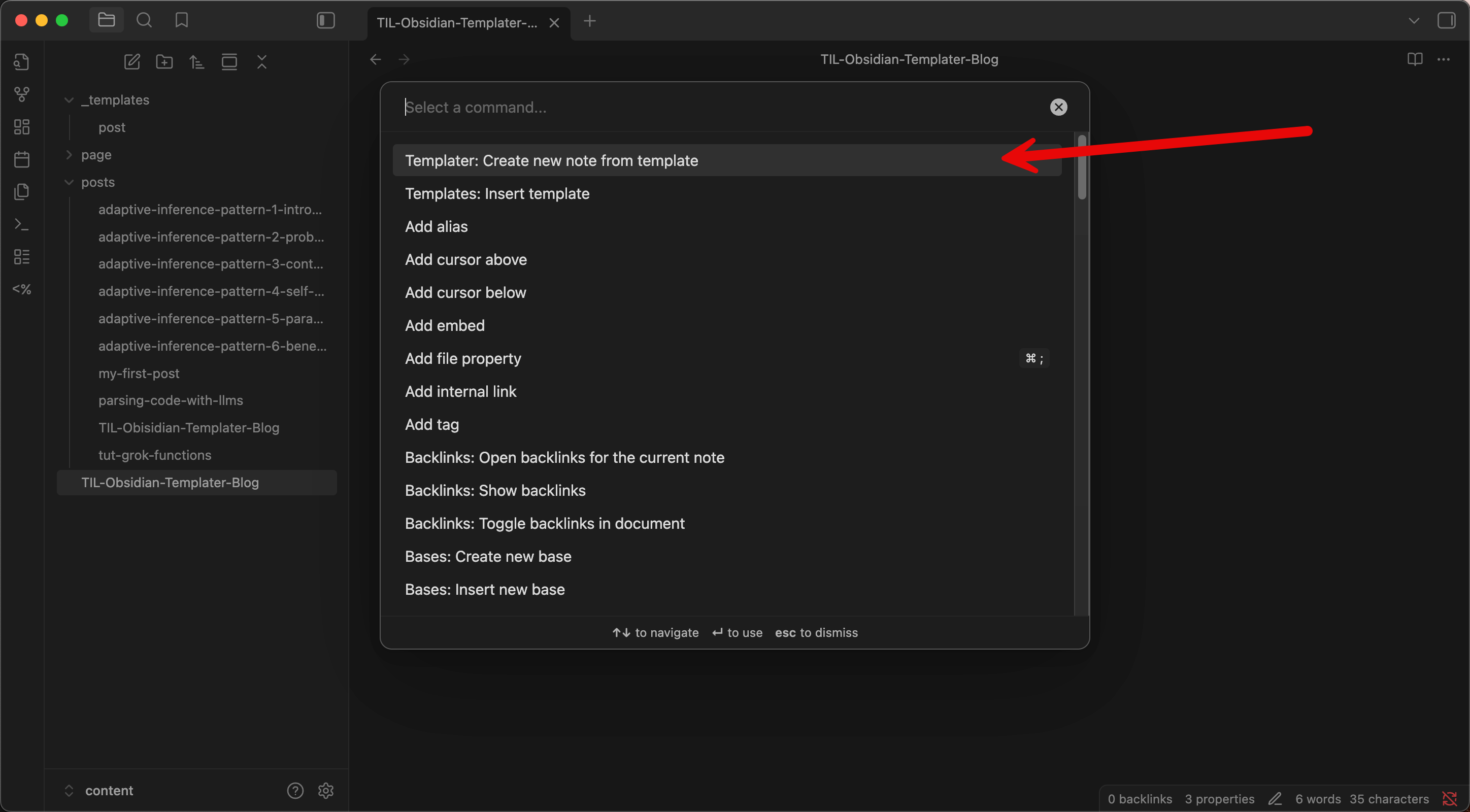
That’s it - the template pre-fills the Hugo front matter, and I start writing. No terminal commands, no context switching.
Images
One quirk: Hugo serves static/ at the root, so image paths in your posts should be /images/filename.png (not static/images/... ). Obsidian won’t preview these correctly, but Hugo renders them fine. Minor annoyance, but livable.
Why This Works
Hugo posts are just markdown files with YAML front matter. Obsidian is a markdown editor. They’re already compatible - no conversion scripts or sync tools needed.
The template handles the tedious part (front matter), and everything else is just writing.
Tags: llm-generated, obsidian, hugo, workflow, TIL |